



Since the coming of AI, I've outsourced most of the design tweaks I run into whilst coding. It started with uploading screenshots to v0 or Lovable, but more recently I've moved most of that work to pencil.dev. You don't need a design file or any setup. Paste in a screenshot, draw a rectangle around the part you want to change, and start prompting. It works well.
A few weeks ago, Anthropic launched Claude Design, a tool that turns prompts into web pages, dashboards, and apparently slide decks. The pitch was designer-quality output from prompts alone. Around the same time, I needed to build a slide deck, and both pencil.dev and Claude Design can do that. A good chance to see how those claims hold up. So I gave them both the same input, a markdown file with the outline of my deck, and let them get to work. This isn't a benchmark of what either tool can do at its best; it's a comparison of what you get out of the box from a minimal prompt.
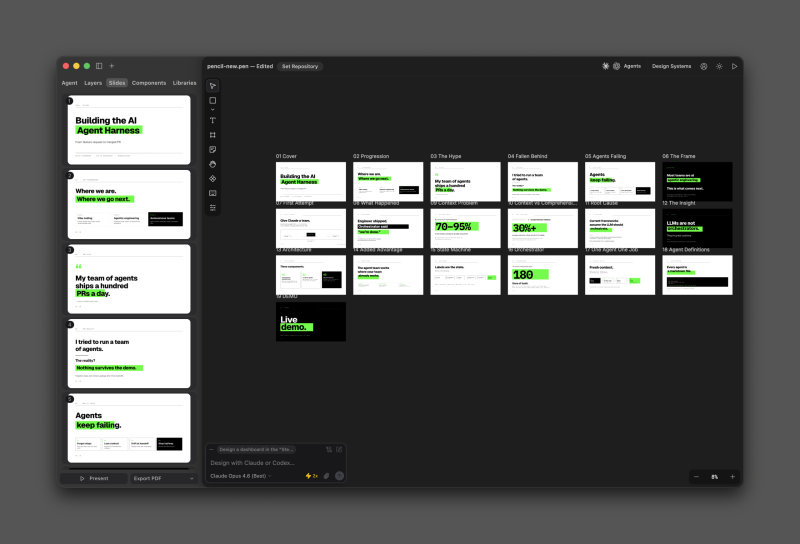
Pencil took about ten minutes and produced the deck above. The structure was there, the slides were coherent, but the design was generic. You can refine it further by prompting, of course, but the starting point felt like a template that someone had filled in with my content.
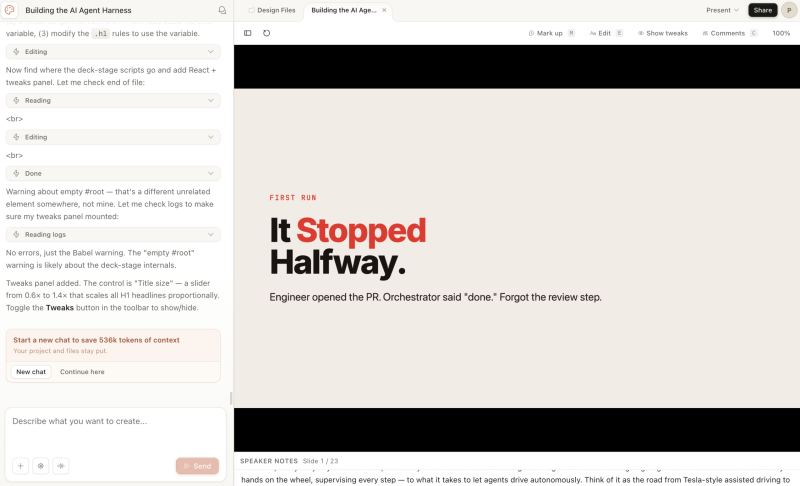
Claude Design ran for around fifteen minutes on the same input. The result was noticeably better: more detail per slide, more thought in the layout, and a stronger overall feel. The default style is distinctive enough that it's starting to become recognisable on decks I see online, which probably says something about how often the tool is being used.
But the first render is only part of the story. The two tools give you very different ways of working with a deck after it's been generated, and that's where the comparison gets interesting.
Pencil
Pencil treats the deck the way PowerPoint does. There's a sidebar with thumbnails of every slide; you click to jump between them, and you can present directly from the tool. If you've ever used a slide editor, this feels familiar.
The friction shows up when you try to do anything beyond editing what's already on the canvas. Pencil is fundamentally a design tool that happens to generate a slide deck, not a presentation tool. I looked for a way to add speaker notes but never found one. It's a glaring omission for anyone who actually has to deliver a presentation rather than just look at one.
Where Pencil makes up ground is in the editing experience. It brings an LLM into a traditional design tool, and it works surprisingly well. You're on a canvas; you can grab things, nudge them, and when you want help, you prompt. For everyday UI work, that mix of direct manipulation and AI assist is exactly why I still reach for it.
Claude Design
Claude Design works in a fundamentally different way. Instead of giving you a design canvas, it generates assets. The deck I created came out as an HTML file with its own JavaScript and CSS that I could download and run anywhere. That portability lets you download the slide deck, open it in Claude Code, and continue working on it. Claude Design also gives you options to improve the system: I asked it to add speaker notes, and it built its own little system inside the HTML file.
The trade-off is that you rely much more heavily on prompting. You can change the text on a slide, but you can't grab individual elements and reposition them. If a slide feels off, fixing it is a prompt away, followed by patience. The tool is doing the design work, and you're describing the outcome rather than dragging things into place.
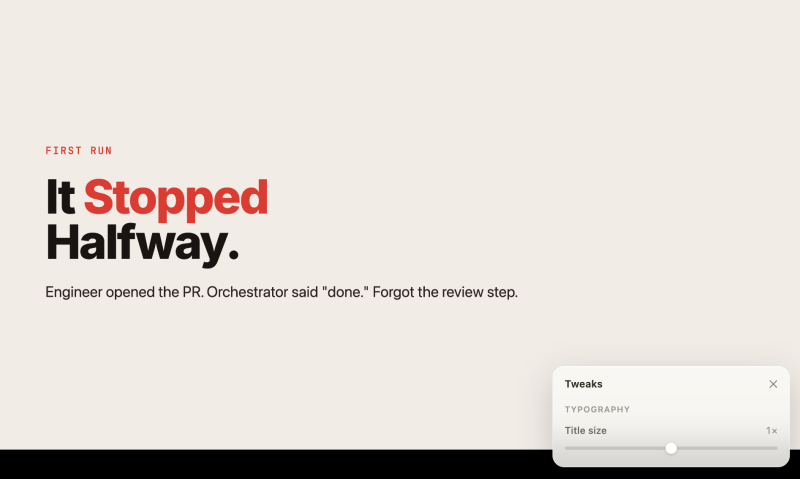
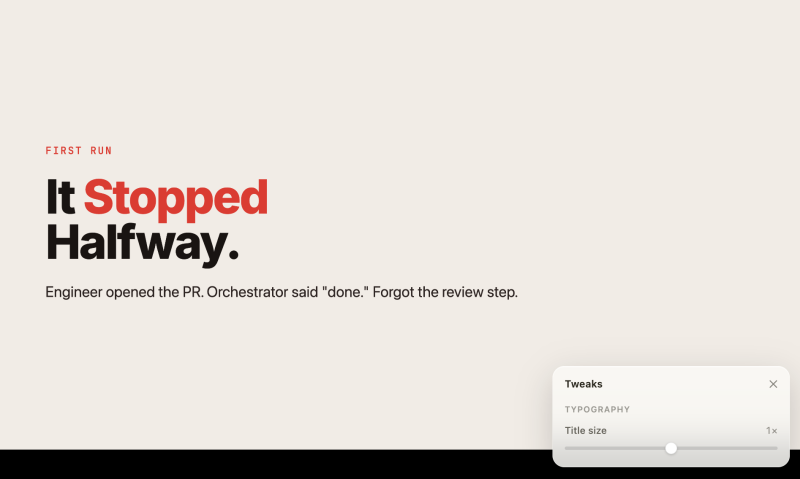
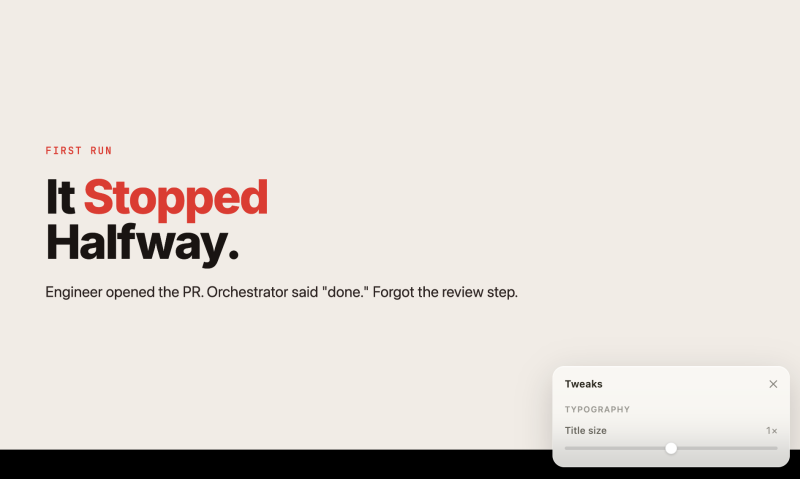
There's a feature called Tweaks that softens this a bit. You prompt for what you want to change, and Claude Design generates a control panel for that specific change. Below, I asked it to change the font size of a title, something you can also do by prompting directly, and it spun up a control I could use to dial it in.
Claude Design is changing fast. Several features have appeared in just the few weeks I've been using it. The tool keeps getting better at a pace that makes any review you read about it slightly out of date by the time you finish reading.
Cost
Cost is where Claude Design currently stings. At the end of April 2026, I burned through my weekly Max account's Claude Design usage limit in about three hours of prompting. The next hour and a half of work cost me roughly forty dollars in extra usage. I expect this to come down significantly as Anthropic optimise. It usually does, but at the moment, sustained Claude Design work isn't cheap.
So pencil.dev or Claude Design?
I built my deck in Claude Design. It delivered a more polished result, gave me speaker notes when I asked, and produced something I could download and own. Those trade-offs were worth it for this job. For general UI work, I'm staying on pencil.dev. The direct manipulation and quick iteration cycle still beat prompting your way through every change.


